Free to track, forever30-day invoicing trialWorks offline
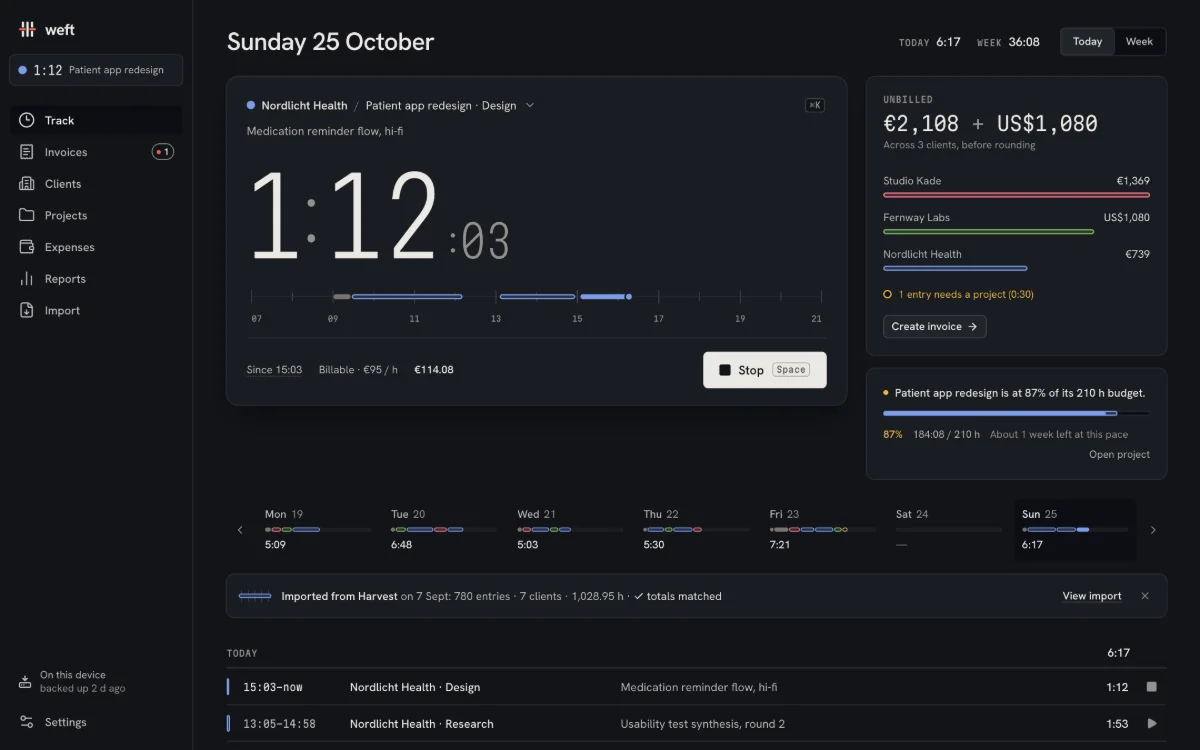
Nordlicht Health/Patient app redesign
Medication reminder flow, hi-fi
1:12:14
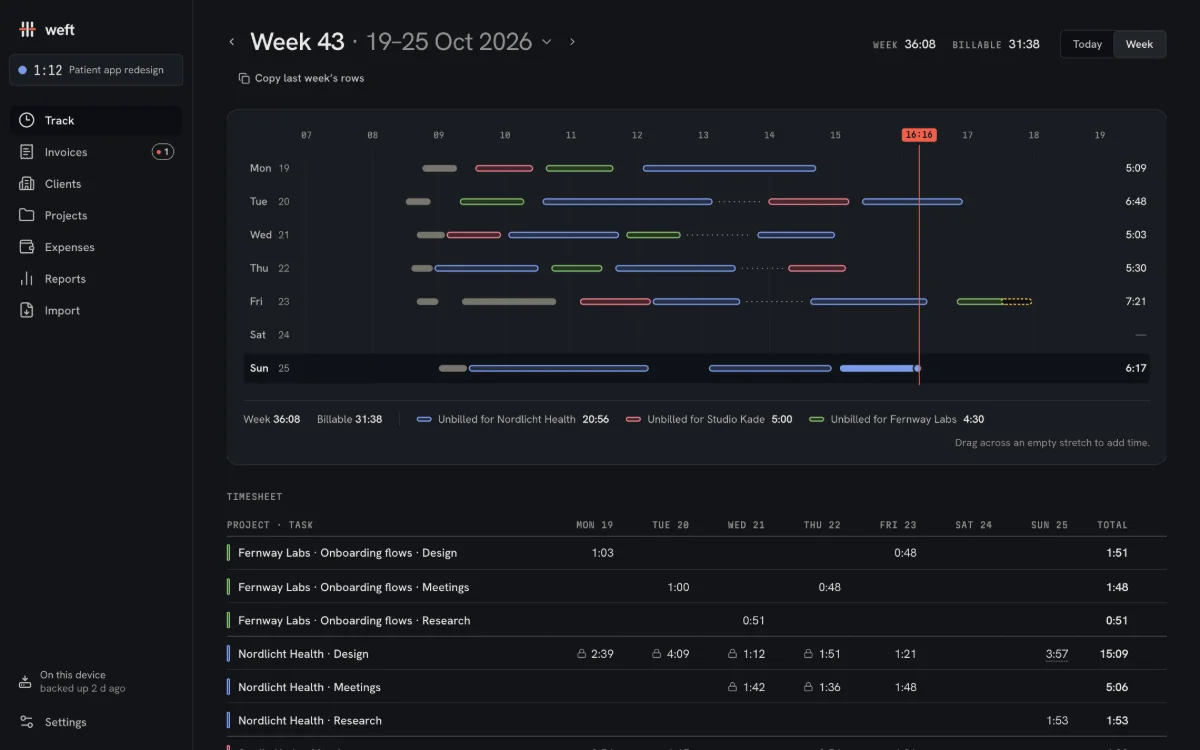
Week 36:39UnbilledInvoicedEach colour is a client.
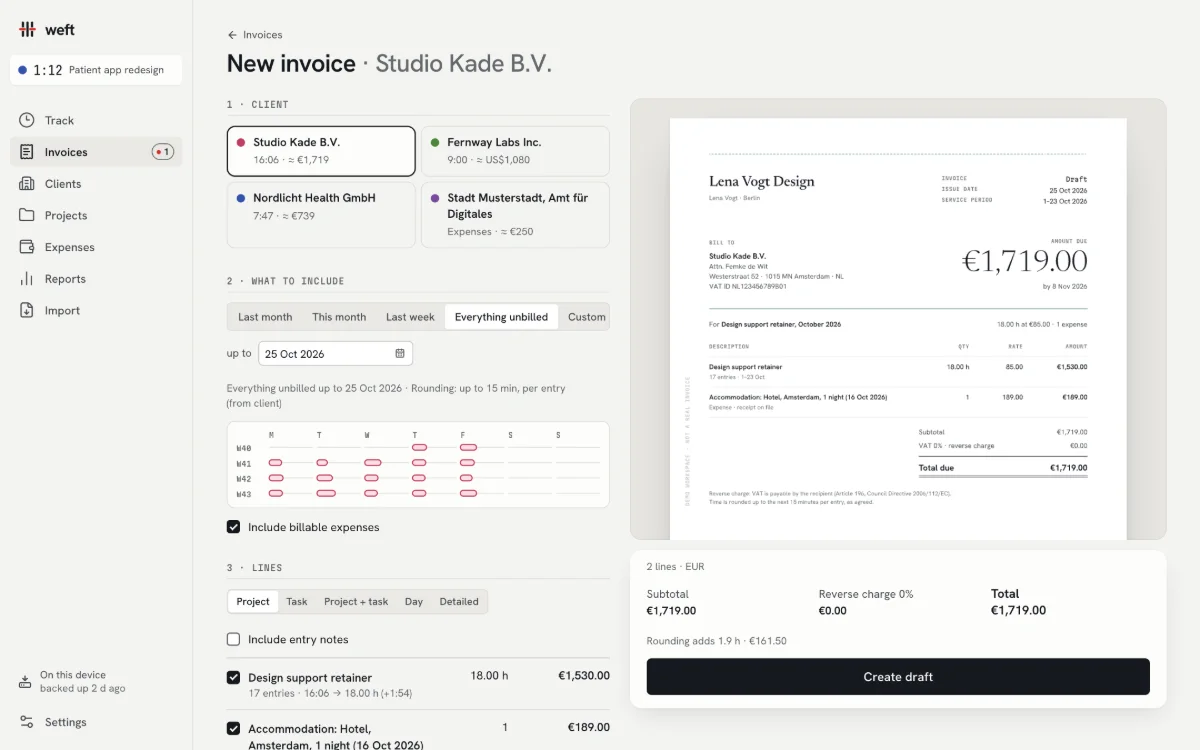
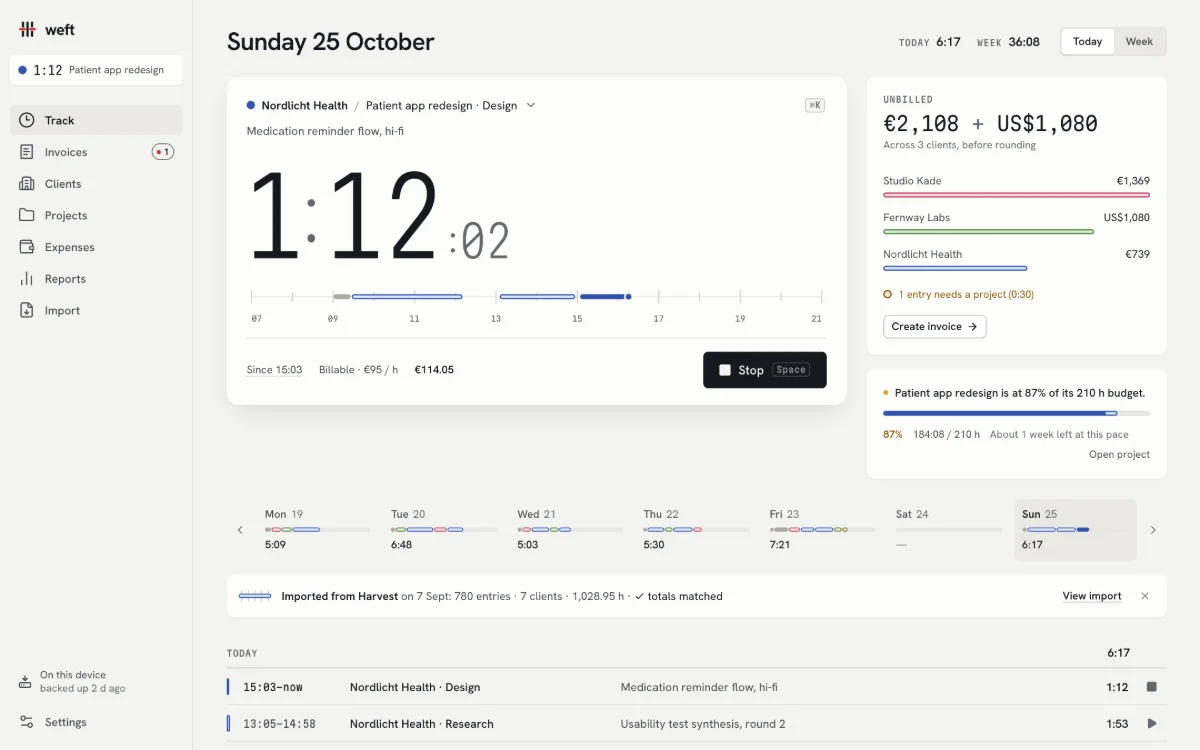
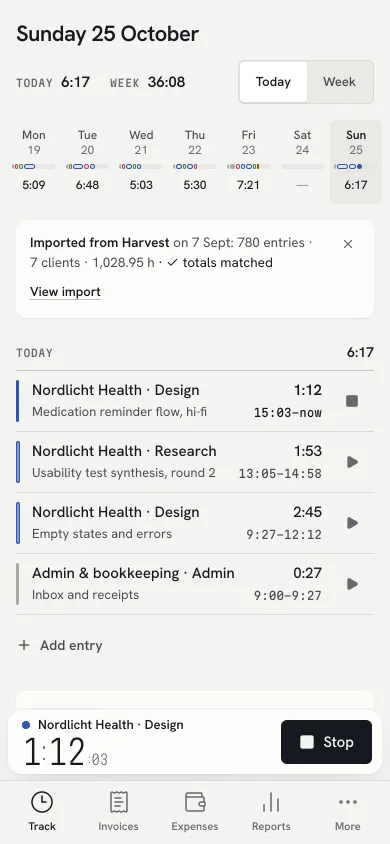
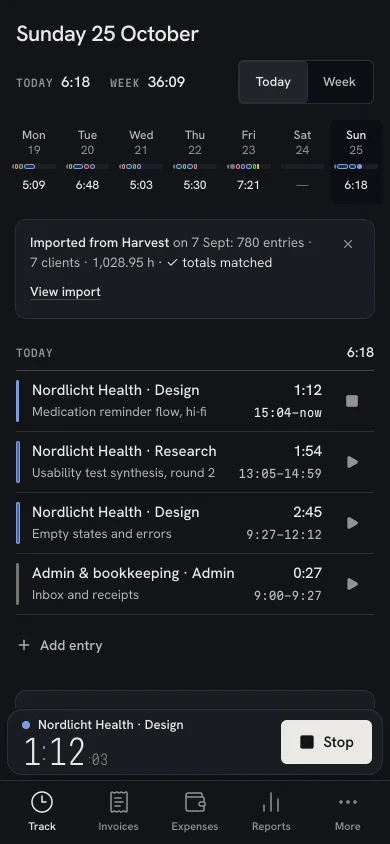
The real app, with demo data: Lena Vogt, a fictional product designer in Berlin.
What you get
Price
Pay once. Keep the price.
No seats, no usage fees, no per-invoice charges. Ever. The price you pay is the price you keep.
History
Your Harvest years come with you
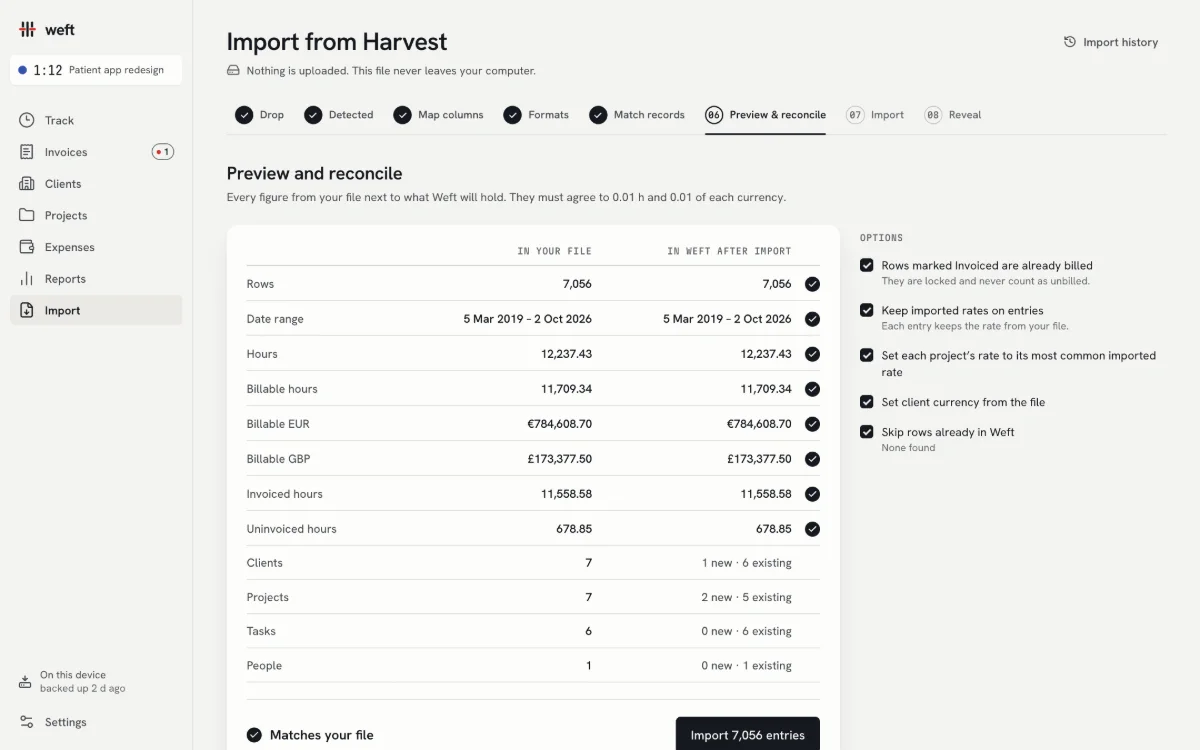
Drop in the export. Every hour and every euro is reconciled to the cent before anything is imported.
Invoices
The finest thing you send
Typeset PDFs with a payment QR code your client’s bank can read. Reverse charge and VAT wording done for you.
Germany
XRechnung and ZUGFeRD
E-invoices for German clients and the 2027–28 mandate, checked against the official validators.
Privacy
No account. Nothing uploaded.
Weft runs in your browser and keeps everything on your device. It works on a plane.
Freedom
Export everything, any time
One-file backups, CSV in Harvest’s own columns, every PDF. Your data is never held hostage.
How it works
From the first minute to the money, and the year it makes.
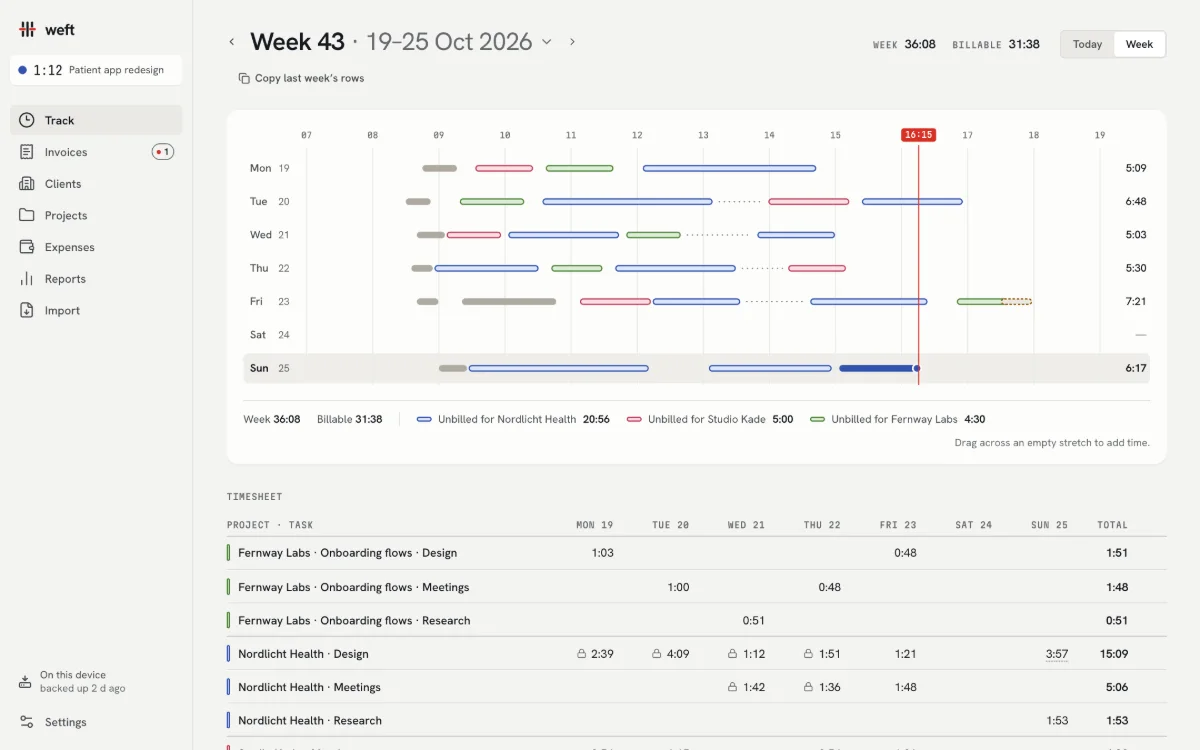
Time is the warp, work is the weft. Every timer lays a thread in its client’s colour. Unbilled time stays loose; an invoice binds it; payment finishes the edge.
01
Track
Press Space to start. One timer at a time, and it survives sleep, reloads and a closed laptop. Forgot to stop? Weft asks what to do with the time when you come back.
SpaceStart and stop
⌘KSwitch project without losing a second
NAdd time by hand, or drag it onto the week
02
Invoice
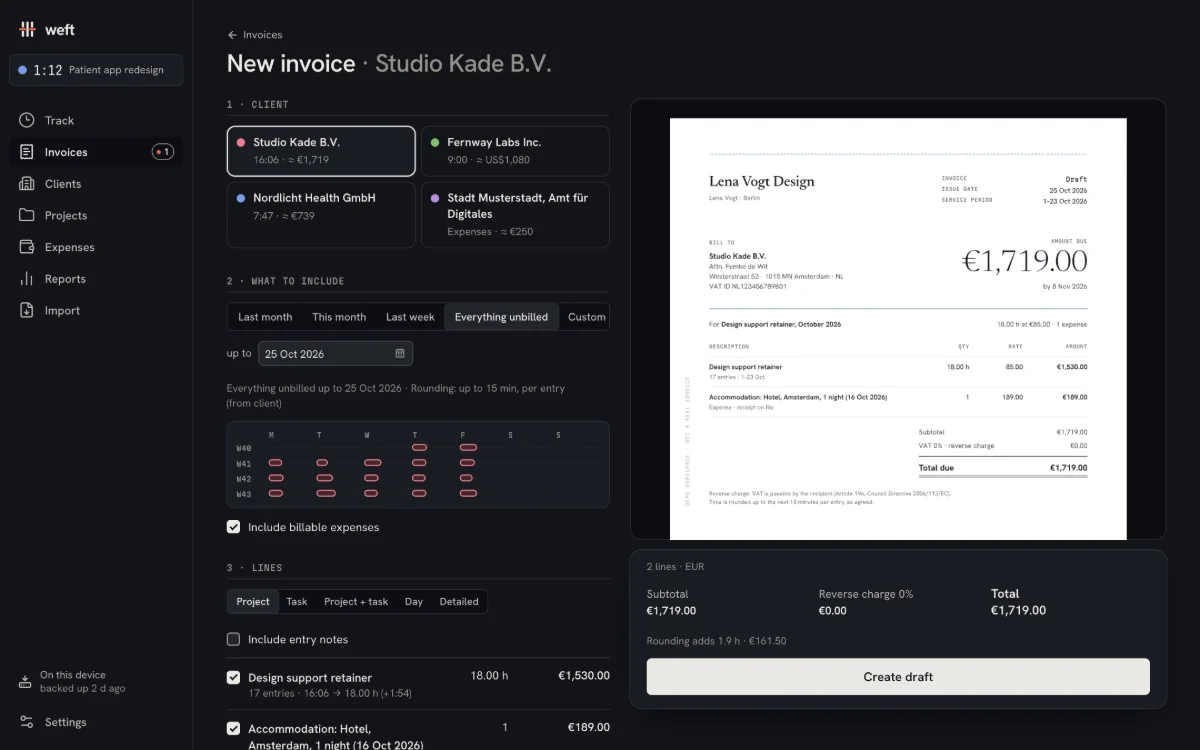
Pick a client and Weft gathers their unbilled time, shows every rounding before it applies, and sets the invoice beside you as paper. Issue it, and the loose threads bind.
Rates by client, project or task, with the source shown
EU payment QR, reverse charge, §19 and VAT wording
Three templates: Atelier, Grid and Compact
03
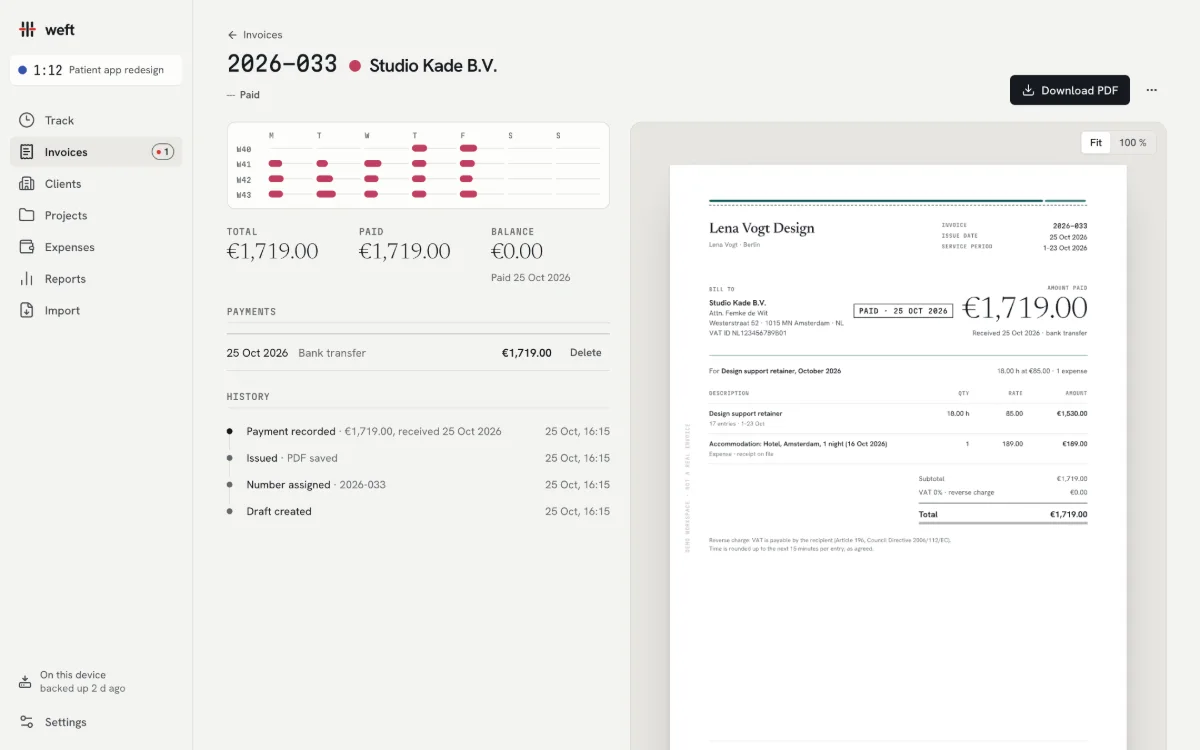
Get paid
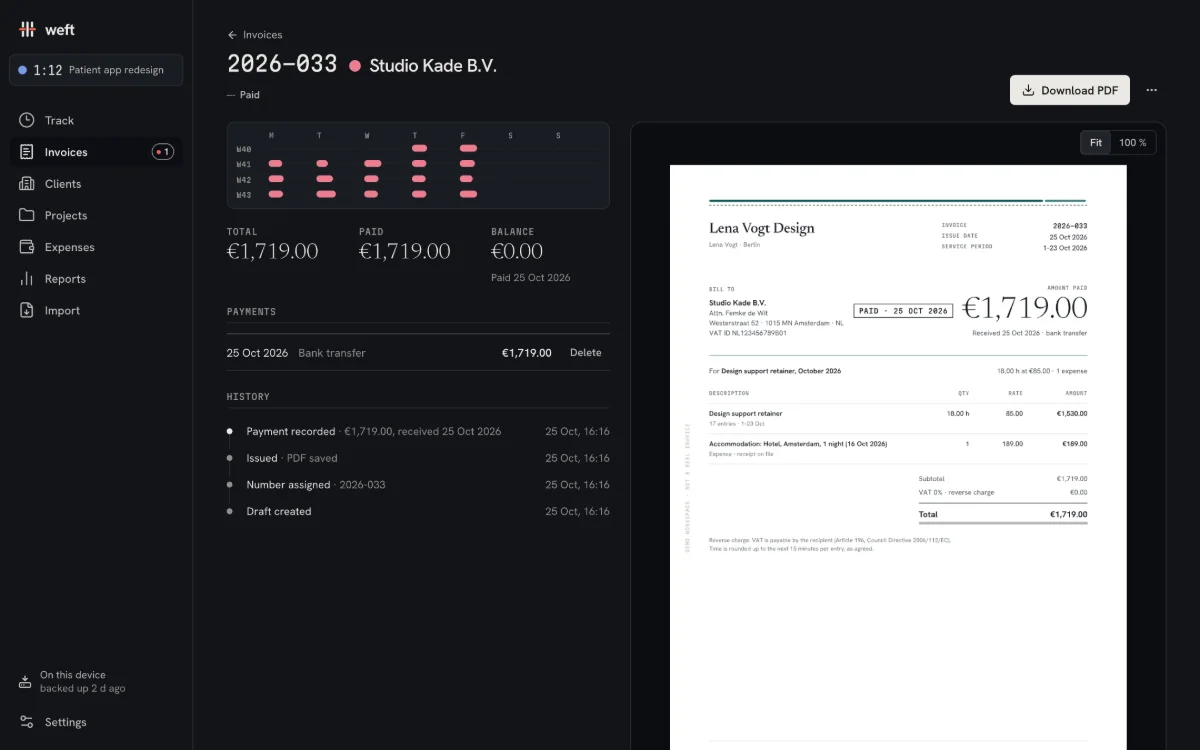
Record a payment and the invoice’s edge is stitched: a quiet “Paid” mark, the balance at zero, the money in this month’s total. Part payments, overdue reminders and aging, without any red alarms.
Draft, sent, part paid, paid, overdue, void
Email draft and PDF in one click, from your own address
04
See your year
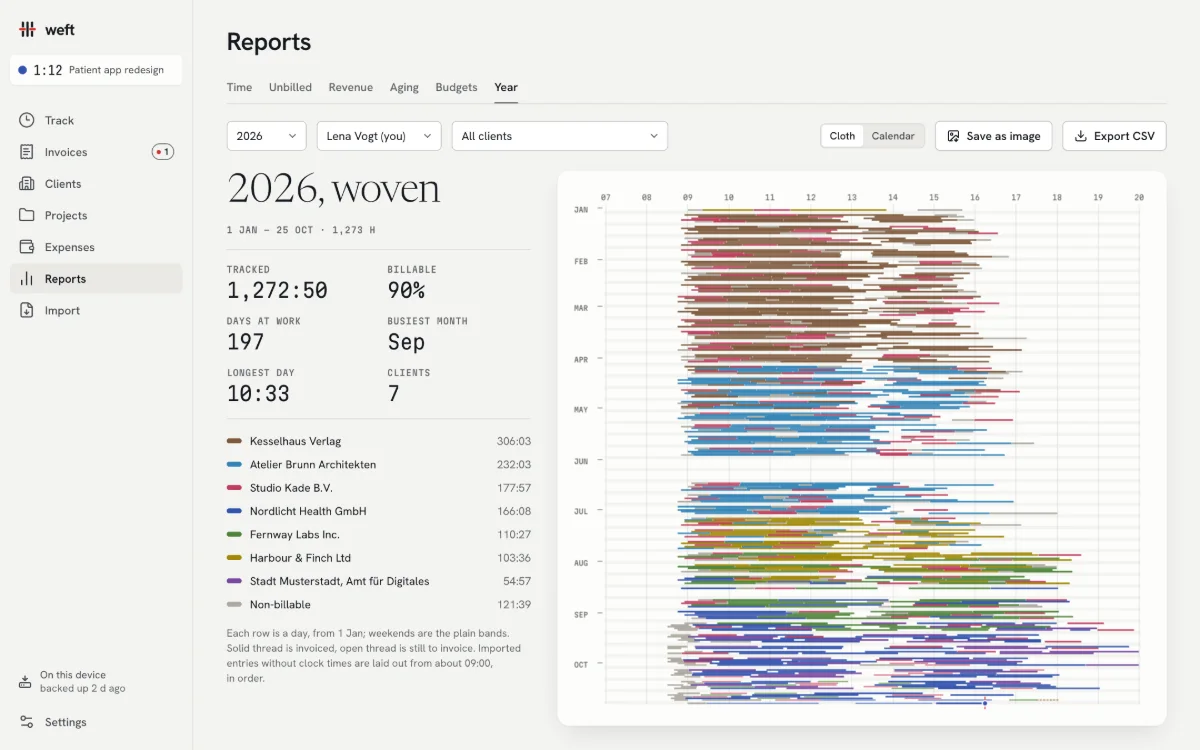
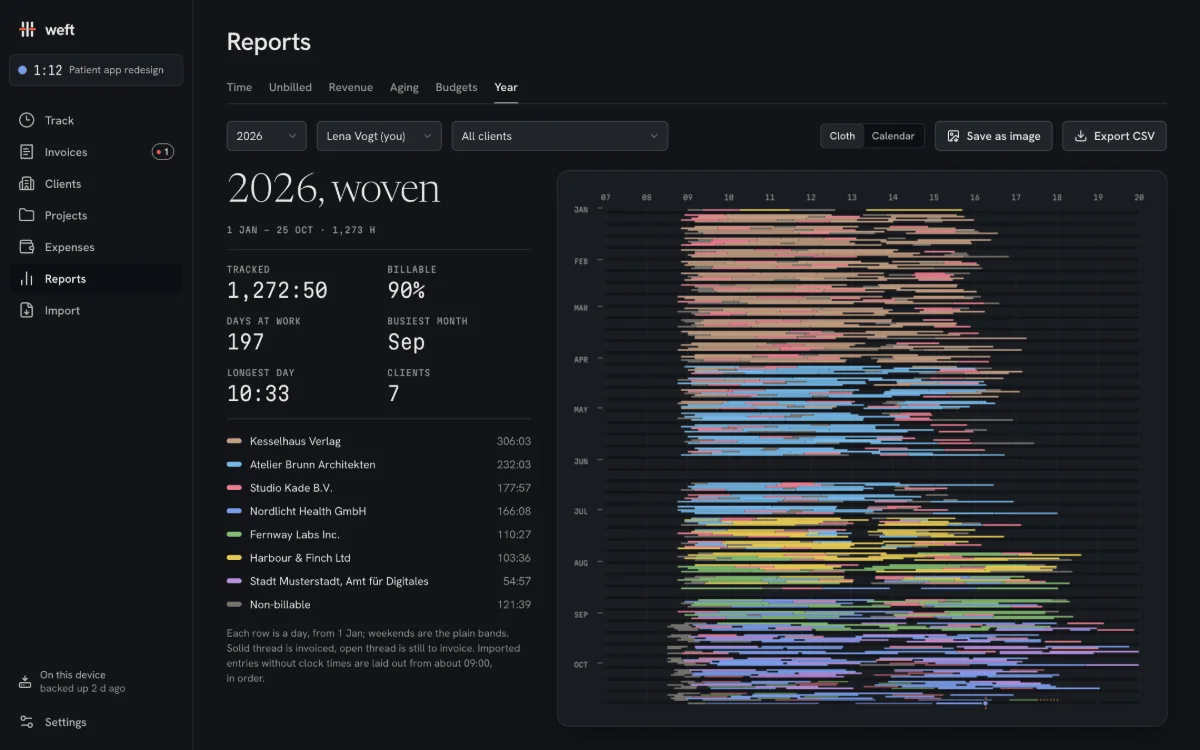
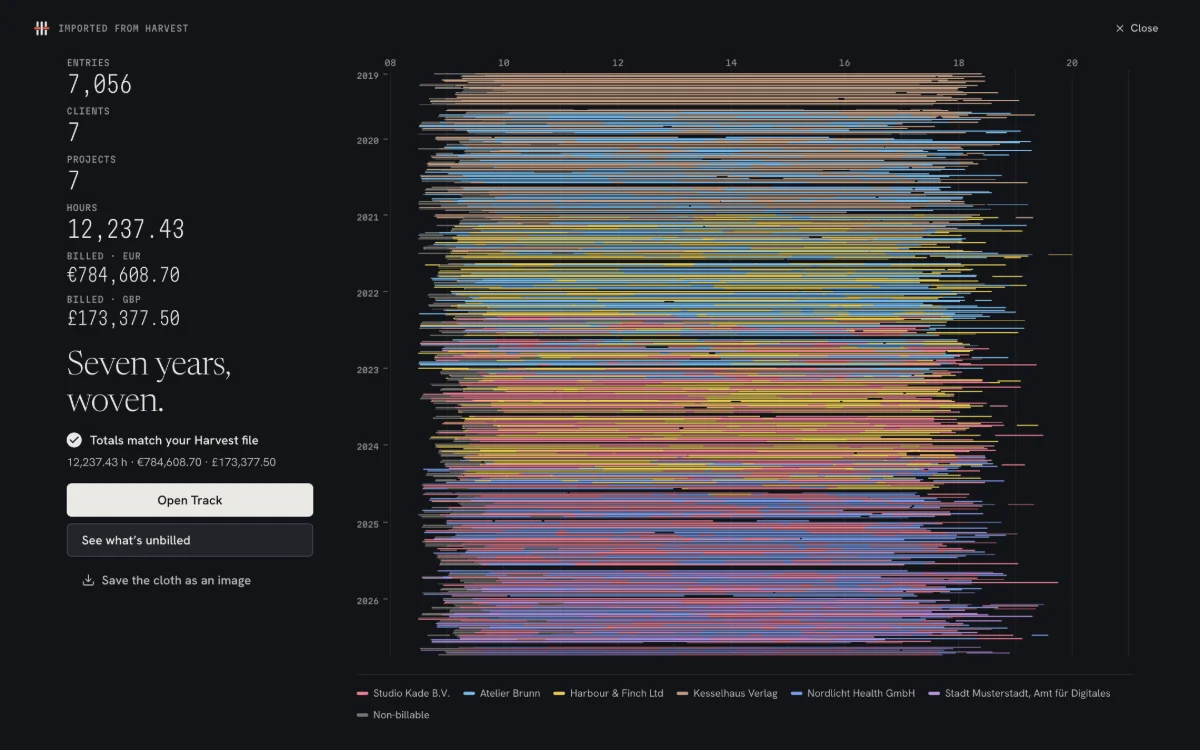
Reports for time, unbilled work, revenue, aging and budgets, and your effective hourly rate per client. Then the year itself, drawn as cloth: one row per day, one colour per client. Save it as a poster, amounts hidden.
For Harvest refugees
Your history comes with you, reconciled to the cent.
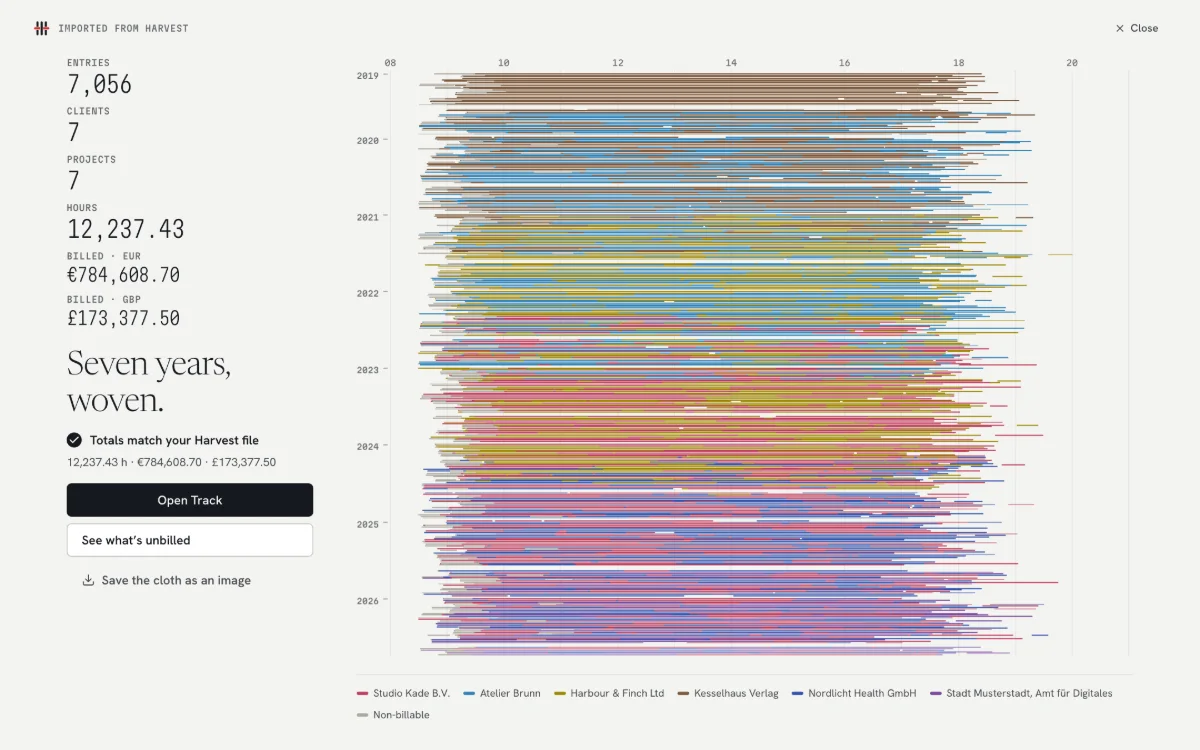
If your Harvest renewal jumped, you don’t have to start from zero. Weft reads Harvest’s detailed time report and invoice list, and refuses to import until every figure matches your file.
Export from HarvestReports → Detailed time → All time → Export → CSV. Add the invoices export to keep your numbering going.
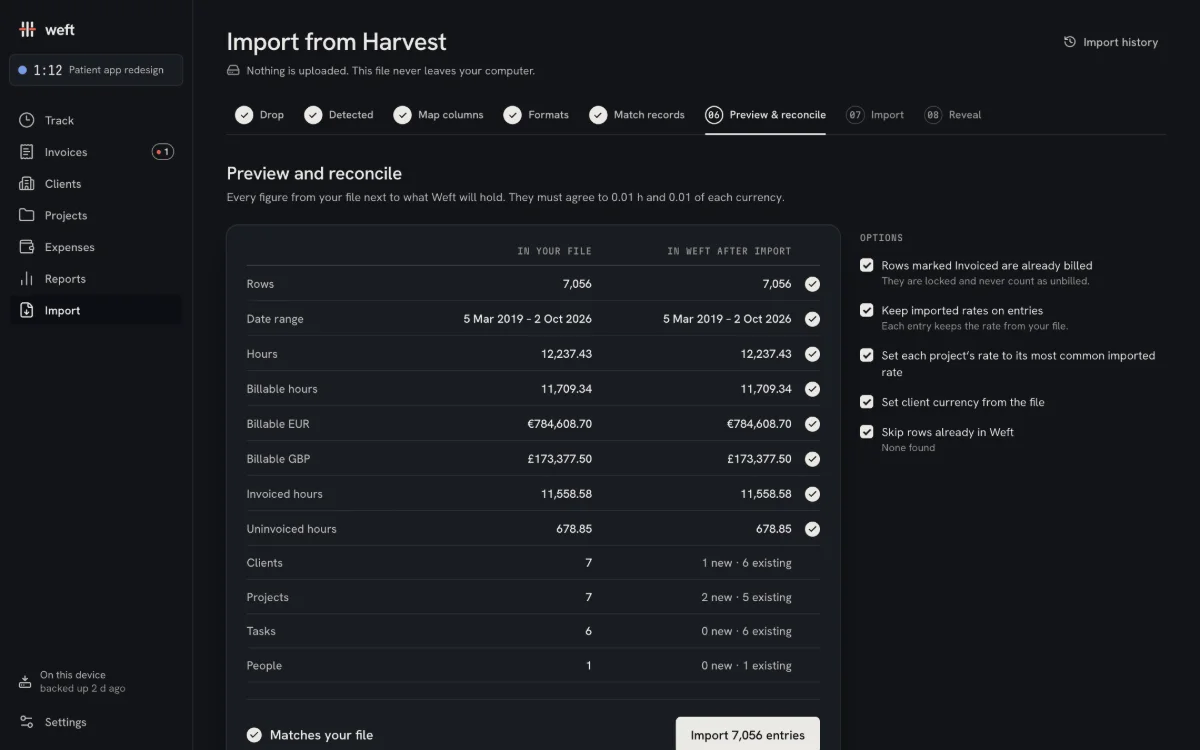
Check it, freeThe Harvest checker reads every row on your computer and shows hours, billable amounts per currency, invoiced and uninvoiced time next to what Weft would hold. Nothing is uploaded.
Bring it inOne click when it matches. Harvest’s own rounding is detected and explained, duplicates are skipped, and an import can be undone.
Also reads Toggl Track and Clockify detailed reports and any CSV with dates and hours, in English or German headers.
German e-invoices
XRechnung and ZUGFeRD, without learning XML.
Germany is moving business invoices to structured e-invoices. Weft produces both formats from the same invoice you already made, and every release is checked against the official tools.
The mandate
Businesses in Germany must be able to receive e-invoices since 2025. Issuing becomes mandatory from 2027 for firms above €800,000 turnover, and from 2028 for everyone else. Small businesses under §19 UStG stay exempt.
Formats
ZUGFeRD: a PDF/A-3 your client can read, with the data inside. XRechnung: CII XML for public-sector clients, with Leitweg-ID support.
Validated
Every release passes the KoSIT validator (XRechnung) and Mustang and veraPDF (ZUGFeRD, PDF/A-3). Labelled Beta in the app while we collect real-world files.
XRechnung und ZUGFeRD für Freelancer. Ein Preis, kein Konto, keine Cloud.
Not “we don’t sell your data”. There is no data to sell: Weft never sends it anywhere in the first place.
No account
Open Weft and start. No sign-up, no email, no password to forget.
No server
Your clients, hours and invoices live in your browser’s storage on your own device.
Nothing uploaded
The Harvest import and every PDF are made on your computer. Files never leave it.
Works offline
Install it from the browser like an app. On a train, on a plane, it just works.
Export everything
One zip with every record and receipt, CSV in Harvest’s columns, all your PDFs.
A quiet website, too
No cookies, no analytics, no trackers here. Paddle’s checkout loads only when you click Buy.
The honest part: data in a browser is only as safe as its backups. Weft asks the browser to keep its data, shows when you last backed up, and on Chrome and Edge can back up to a folder of your choice automatically.
Pricing
One price. Paid once. Kept.
Weft runs on your computer, so it costs us almost nothing to run for you. Charging monthly for that would be the thing you’re leaving.
Weft PersonalLaunch price until 31 Mar 2027
$69€69one-time, taxes handled at checkout
Then $89 / €89. Includes 12 months of updates; after that, updates are optional at $39 / €39 a year. The app keeps working forever either way.
Invoices, e-invoices (XRechnung, ZUGFeRD), payments, budgets and every PDF template
Secure checkout by Paddle, our reseller and merchant of record. Your licence key arrives on the next page and by email.
Free, forever
Time tracking
Imports
Reports and your year
Backups and every export
30-day full trial
Every feature, including invoicing, for 30 days. After that, a licence unlocks creating new invoices. Invoices you’ve made stay viewable and downloadable, always.
Coming
Sync between devicesplanned
Studio, for small teamsplanned
The price lock
“The price you pay is the price you keep. If our prices rise, your licence, your update renewal and any add-on you already pay for stay at your price for as long as you keep them. No seats, no usage meters, no per-invoice, per-client or per-project fees. Ever.”
Launch list
One email when checkout opens, and one when the launch price ends. Nothing else.
Questions
Asked, answered.
What happens after the 30-day trial?
Tracking, imports, reports, backups and exports keep working, free, forever. Creating new invoices needs a licence. Every invoice you made during the trial stays viewable and downloadable.
And after the 12 months of updates?
Nothing stops. Your version keeps working forever, invoicing included. If you want the next year of updates, renew for $39 / €39. If you don’t, you keep what you have.
Can I export everything?
Yes, at any time, licence or not: a single zip backup with every record and receipt, CSV files (including Harvest’s column format), and every invoice as PDF and e-invoice.
Is it really offline?
Yes. After the first visit Weft installs like an app and runs without a connection. It makes no network requests at all: no analytics, no crash reports, no licence checks. Licence keys are verified on your device.
What if you raise prices?
You keep yours. Your licence, your update renewal and any add-on you already pay for stay at your price for as long as you keep them. That’s the price lock, and it’s in our terms.
Windows, Mac or phone?
All of them. Weft runs in any modern browser (Chrome, Edge, Safari, Firefox) and can be installed as an app on Windows, macOS, Linux, iPhone and Android. One licence covers your devices; until Sync arrives, each device keeps its own data, and you move it with a backup file.
Refunds?
Within 30 days of purchase, for any reason, no questions asked. Reply to your receipt or write to us, and Paddle returns the money. See the refund policy.
Which Harvest files can I import?
Harvest’s detailed time report (CSV), its invoices export (to continue your numbering and keep open balances) and its expenses export. Weft also reads Toggl Track and Clockify detailed reports and any CSV with dates and hours. Try yours first in the free Harvest checker.
Who is Weft for, and who isn’t it for?
For freelancers and small studios who bill by the hour and invoice from one computer. If your team needs shared live timers, approvals or integrations with project tools today, Weft isn’t there yet; Toggl Track or Clockify may suit you better.
Your next invoice, today.
The demo opens with a year of real-looking work. Nothing to sign up for.